Selecting a 100W USB-C charger by headline wattage alone causes primary laptop ports to drop below 100W or fail to hold a stable contract when a second cable is attached. Approve a wholesale charger line by separating a dedicated single-port 20V ⎓ 5A (100W) fixed Power Data Object (PDO) contract from a shared 100W or 120W multi-port total budget, verifying that a 5A E-Marker cable is paired with the port, and matching the exact Anker model's multi-port step-down table to the devices charged together.
When IT procurement teams, corporate kit assemblers, or retail category buyers request a 100W USB-C charger, the request spans two distinct electrical architectures in the Anker charger wholesale catalog: a single-port wall adapter such as the Anker 317 Charger (A2672) that dedicates 100W Max to one receptacle, and three-port (2 × USB-C + 1 × USB-A) adapters such as A2145, A2343, A2688, and A2148 that deliver 100W Max only when a single USB-C port is occupied. The tables and engineering checks below provide the exact model specifications and a copyable RFQ worksheet to lock both single-port PDO rails and simultaneous-use allocations before quoting.
| Purchasing input | Specification to record | Procurement failure prevented |
|---|---|---|
| Charger architecture & SKU | Single-port 100W (A2672) vs 3-port 2C1A (A2145, A2343, A2688, A2148) | Prevents treating a 100W or 120W multi-port ceiling as 100W per port |
| Single-port fixed PDO rails | 5V, 9V, 15V ⎓ 3A and 20V ⎓ 5A; optional 12V ⎓ 3A on A2343 | Prevents ordering A2145, A2688, or A2148 when a fixed 12V PDO rail is required |
| USB-C cable current gate | 5A (100W) or 240W E-Marker cable vs 3A cable (included on A2672; separate on A2145 and A2688) | Prevents a 3A non-E-Marker cable from capping a 100W–240W port at 60W (20V × 3A) |
| Multi-port step-down schedule | Port wattage on USB-C1, USB-C2, and USB-A under 2-port and 3-port loads | Prevents laptop throttling or the 24W Max cap on USB-C2 + USB-A (A2148, A2688) |
| Idle cable & device exceptions | Idle USB-C to Lightning load, M2 MacBook MagSafe reset, and Dell/OnePlus/Honor limits | Prevents intermittent disconnects or capped charging on deployed laptops and phones |
| Regional plug & carton scope | US foldable vs UK/DE fixed (A2148) or US/UK/DE foldable (A2343); 10-unit mixed MOQ | Prevents wrong regional plug geometry or missing separate cable SKU lines |
Why "100W USB-C Charger" Means Two Different Electrical Contracts#
Delivering a continuous 100W on a single USB-C port requires both an active 20V ⎓ 5A fixed PDO from the charger and a 5A E-Marker USB-C cable; without either condition, negotiated power drops immediately. Under the USB Implementers Forum (USB-IF) overview, USB PD was capped at 100W before 2021 (20V with 5A cables), while USB PD 3.1 Extended Power Range (EPR) and USB Type-C 2.1 added 28V, 36V, and 48V fixed levels (140W, 180W, 240W). 100W remains the Standard Power Range (SPR) ceiling at 20V.
USB-IF's Cable and Connector Language Usage Guidelines note that USB Type-C is a physical connector specification, not interchangeable with USB Power Delivery, USB 3.2, or USB4. As Renesas Electronics documents in USB Power Delivery: The Technology 1 — Convenience and Safety, 5V, 9V, 15V, and 20V are normative SPR voltages so compliant sources and sinks can share adapters whenever Source power (W) ≥ Sink power (W).
Two electrical boundaries govern whether a 100W charger line supplies 100W:
- The
3A(60W) vs5A(100W) E-Marker cable current gate: Per Renesas Electronics, a standard USB Type-C cable carries up to3A. Cables supporting100W(5A) or EPR (240W) incorporate an E-Marker chip. For any source rated above60W, the charger queries the E-Marker before supplying above3A; if the cable is not identified as100W (5A)or EPR-compatible, current is capped at3Aacross all voltage rails—limiting a100W–240Wsource to60W(20V × 3A). - Normative SPR rails vs the optional
12Vfixed PDO: Renesas notes that USB PD3.1and earlier only require12Vas an option alongside normative5V,9V,15V, and20Vrails (while USB PD3.2adds SPRAVSin100mVsteps from9Vto48V, alongside optionalPPSstepping20mVin voltage and50mAin current across5V–21V). Among Anker's100Wwall chargers, onlyA2343(Anker Prime 100W) publishes a12V=3Afixed PDO rail onUSB-C1andUSB-C2(5V/9V/12V/15V=3A, 20V=5A).A2145,A2688, andA2148publish5V/9V/15V ⎓ 3Aand20V ⎓ 5A (100W Max)without a12Vfixed PDO.
Use the USB PD fixed-rail power equation to evaluate cable and port current caps before approving a bundle:
Negotiated Fixed PDO Power (W) = Normative Rail Voltage (V) × min(Port PDO Current Limit (A), Cable Current Limit (A))
- Worked example (cable-limited single-port connection): A
20Vlaptop onUSB-C1(20V ⎓ 5Aport limit) through a3Anon-E-Marker cable negotiates20V × min(5A, 3A) = 20V × 3A = 60W, losing40W(100W − 60W = 40W). - Worked example (multi-port current step-down on
A2145): With a5AE-Marker cable onA2145,USB-C1delivers20V × min(5A, 5A) = 100Walone, but adding a second USB-C device lowersUSB-C1to3A(20V == 3A), reducing primary power to20V × min(3A, 5A) = 60W(40W MaxonUSB-C2).
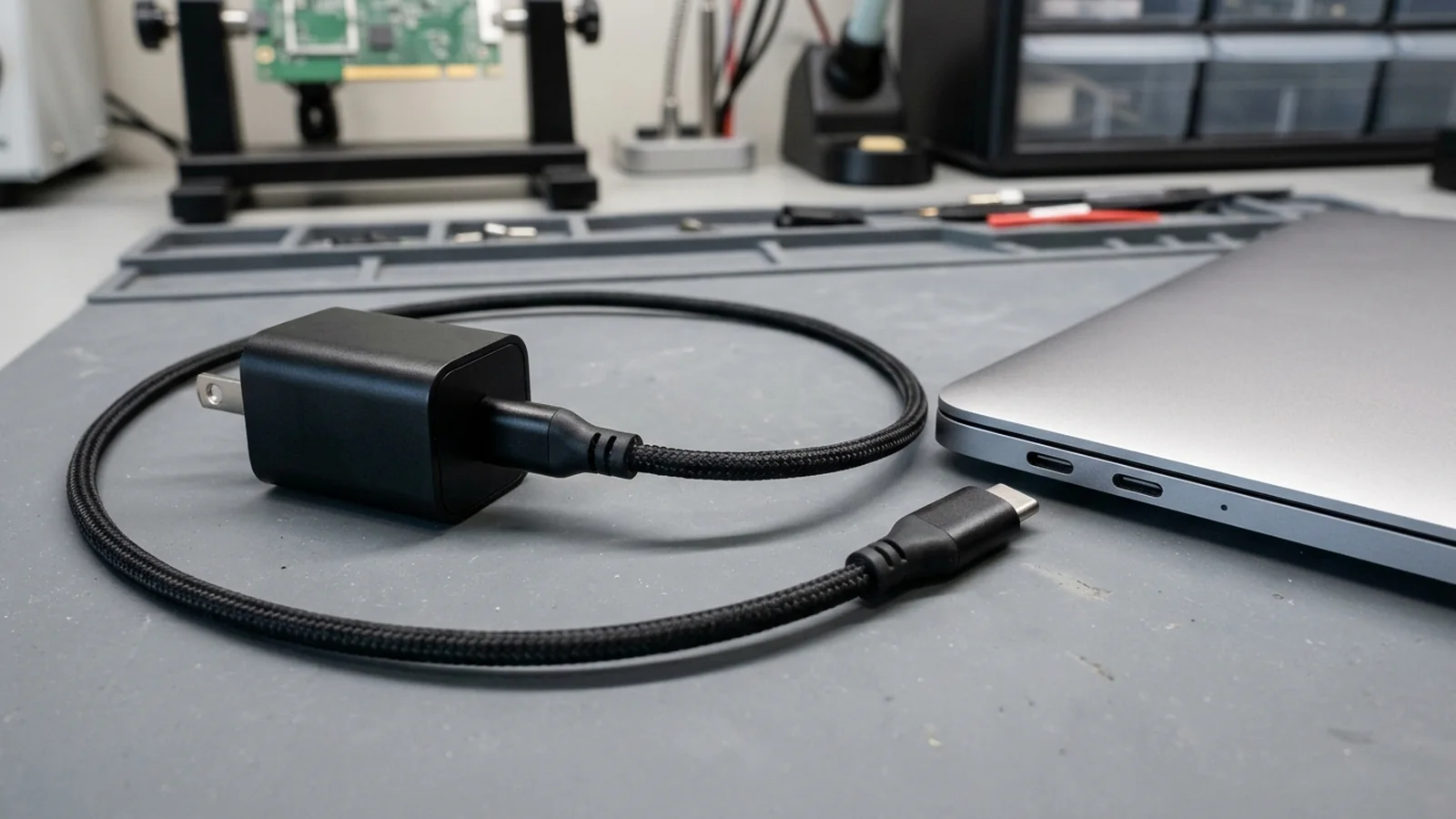
Verify both endpoints of a 100W single-port connection: the wall charger must advertise a 20V ⎓ 5A PDO and the USB-C cable must carry an E-Marker rated for 5A current.
For orders that require standalone or bundled 240W (A80E6) cables—or where buyers need to verify 100W (A8758) 480 Mbps data limits and video output exclusions—use our Anker 100W USB-C cable power, data, and video verification guide.
Single-Port 100W (A2672) vs Multi-Port 100W/120W (A2145, A2343, A2688, A2148): Reference Matrix#
Match the SKU to whether the primary laptop can tolerate a power step-down during multi-device charging. A single-port charger such as the Anker 317 Charger (100W Max, A2672) routes its entire 100W output budget to one USB-C receptacle and includes a 5 ft / 1.5 m 5A (100W Max) E-Marker USB-C to USB-C cable in its UK retail package. By contrast, three-port (2C1A) models in the Nano II, Prime, and Anker GaNPrime charger wholesale lines provide 100W Max on a single USB-C port (USB-C1 or USB-C2 used alone) and divide total wattage whenever two or three ports are occupied.
| Model & Series | Port Layout & Total Output | Single-Port USB-C PDO & PPS | Single-Port USB-A Output | Plug, Dimensions & Box Cable | Dominant Failure Mode & Prevention |
|---|---|---|---|---|---|
| A2672 · Anker 317 (100W Max) | 1 × USB-C · 100W Max (PowerIQ 3.0, ActiveShield 570,000×/night) | 100W Max single USB-C (per-rail table not listed on UK page) | None | Foldable · 18-mo warranty · Includes 5 ft / 1.5 m 5A (100W) E-Marker cable | OnePlus/Honor 100W proprietary protocols unsupported at 100W; assign to USB PD laptops/tablets |
| A2145 · Anker 736 (Nano II 100W) | 2C1A · 100W Max (100–240V~ 2.1A 50–60Hz, PowerIQ 3.0, PPS) | C1/C2: 5V/9V/15V==3A, 20V==5A (100W Max); PPS 3.3–16V==5A (80W Max) | 4.5V==5A, 5V==4.5A, 5V==3A, 9V==2A, 12V==1.5A (22.5W Max) | Foldable · 2.64 × 1.24 × 2.24 in (67 × 31.5 × 56.97 mm) · 18-mo warranty · No cable | Laptop drops to 60W (20V==3A) on C1+C2 or 45W on 3-port: move phone to USB-A (80W + 18W = 98W) |
| A2343 · Anker Prime 100W | 2C1A · 100W Max (100–240V~ 50–60Hz 2.1A, PowerIQ 4.0, PPS) | C1 (middle)/C2 (bottom): 5V/9V/12V/15V=3A, 20V=5A (100W Max) | 4.5V=5A, 5V=4.5A, 5V=3A, 9V=2A, 12V=1.5A, 10V=2.25A (22.5W Max) | Foldable (US/UK/DE) · Power IQ 4.0, PPS · 100W Max listed across 2-port/3-port modes | Assuming fixed per-port split numbers: publishes 100W Max combined across 2-port/3-port modes |
| A2688 · Anker Prime (100W, GaN) | 2C1A · 100W Max (100–240V~ 2.1A 50–60Hz, ActiveShield 2.0 35×/sec) | C1/C2: 5V⎓3A (15W), 9V⎓3A (27W), 15V⎓3A (45W), 20V⎓5A (100W Max) | 5V⎓3A (15W), 9V⎓2A (18W), 10V⎓2.25A (22.5W), 12V⎓1.5A (18W) (22.5W Max) | Foldable · 1.7 × 1.1 × 2.7 in (43.5 × 29 × 67.8 mm), 6 oz (170 g) · No cable | C2 + USB-A with C1 empty collapses output to 12.0W + 12.0W (24.0W Max): keep laptop on C1 |
| A2148 · Anker 737 (GaNPrime 120W) | 2C1A · 120W Max (100~240V~ 1.8A 50–60Hz, PowerIQ 4.0, PPS) | C1 (Top)/C2 (Middle): 5V==3A, 9V==3A, 15V==3A, 20V==5A (100W Max) | 4.5V==5A, 5V==4.5A, 5V==3A, 9V==2A, 12V==1.5A (22.5W Max) | Foldable (US), Fixed (UK/DE) · 1.7 × 1.25 × 3.14 in (43 × 32 × 80 mm), 6.6 oz (187 g) · 24-mo warranty | Reading 120W total as 120W single-port or using C2+A alone (24W Max): keep laptop on C1 |
Apply these three engineering selection rules-of-thumb when building a quotation schedule:
- If a laptop requires an uninterrupted
20V ⎓ 5A (100W)contract under continuous load → prioritize the single-portA2672(includes a5 ft / 1.5 m5Acable) or enforce single-port operation on a2C1Acharger, since any secondary device or idle Lightning cable triggers multi-port splitting. - If the target device requires a
12V ⎓ 3Afixed PDO rail → prioritizeA2343(Anker Prime 100W), which includes12V=3AonUSB-C1/C2, whereasA2145,A2688, andA2148list only5V,9V,15V, and20Vfixed rails. - If the shipment targets UK or EU/DE retail channels and requires a folding plug → compare
A2343(Foldable (US/UK/DE)) againstA2148(Foldable (US), Not foldable (UK/DE)).
For buyers comparing gallium nitride (GaN) and silicon switching efficiency, enclosure power density, and regional safety or conformity documentation across charger families, see our GaN charger vs silicon charger wholesale buying guide.
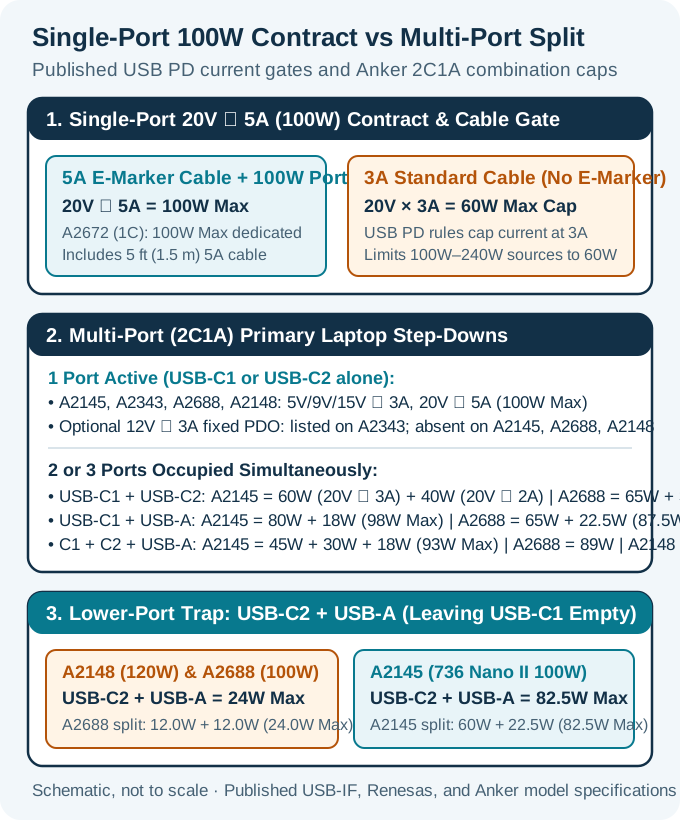
Compare single-port 20V ⎓ 5A (100W) capability against two-port and three-port step-downs before approving a multi-device charger bundle. Schematic, not to scale.
How Multi-Port Power Allocation Steps Down Your Primary Laptop Port#
Plugging a second cable into a 100W or 120W multi-port charger renegotiates the primary USB-C port downward—and pairing USB-C2 + USB-A while leaving USB-C1 empty caps combined output at 24W Max on A2148 and A2688. Competing wholesale and consumer guides (such as Ugreen's multi-port wattage overview, MOKiN's distribution guide, and BWOO's office charger comparison) describe multi-port sharing in generic terms, while independent macOS testing by WattsConnected shows that moving a secondary phone from USB-C2 to USB-A changes a primary MacBook's negotiated wattage. However, procurement teams cannot rely on generic rules: exact port step-downs depend on the specific Anker model code.
| Active Port Combination | A2145 (736 Nano II 100W) | A2688 (Prime 100W, 3 Ports) | A2343 (Prime 100W, 3 Ports) | A2148 (737 GaNPrime 120W) |
|---|---|---|---|---|
| USB-C1 alone or USB-C2 alone | 100W Max (5V/9V/15V==3A, 20V==5A; PPS 3.3–16V==5A, 80W Max) | 100W Max (5V/9V/15V⎓3A, 20V⎓5A) | 100W Max (5V/9V/12V/15V=3A, 20V=5A) | 100W Max (5V/9V/15V==3A, 20V==5A) |
| USB-A alone | 22.5W Max (4.5V==5A, 5V==4.5A, 5V==3A, 9V==2A, 12V==1.5A) | 22.5W Max (5V⎓3A, 9V⎓2A, 10V⎓2.25A, 12V⎓1.5A) | 22.5W Max (4.5V=5A, 5V=4.5A, 5V=3A, 9V=2A, 12V=1.5A, 10V=2.25A) | 22.5W Max (4.5V==5A, 5V==4.5A, 5V==3A, 9V==2A, 12V==1.5A) |
| USB-C1 + USB-C2 (2 USB-C ports) | 60W Max + 40W Max (C1: 20V==3A, PPS 3.3–16V 3.75A; C2: 15V==2.67A / 20V==2A, PPS 3.3–16V==2.5A) | 65W + 35W (100W Max); connect laptops to upper port USB-C1 | 100W Max combined (Power IQ 4.0, PPS) | 120W Max combined (PowerIQ 4.0 dynamic distribution; 100W single-port cap) |
| USB-C1 + USB-A | 80W + 18W (98W Max) | 65W + 22.5W (87.5W Max) | 100W Max combined (Power IQ 4.0, PPS) | 120W Max combined (PowerIQ 4.0 dynamic distribution) |
| USB-C2 + USB-A (USB-C1 empty) | 60W + 22.5W (82.5W Max) | 12.0W + 12.0W (24.0W Max) | 100W Max listed in support table | 24W Max combined |
| USB-C1 + USB-C2 + USB-A (All 3 ports) | 45W + 30W + 18W (93W Max) | 89W Max combined | 100W Max combined | 120W Max combined |
Three model-specific engineering differences stand out in Anker's published allocation tables:
A2145vsA2688in two-port mode: OnA2145,USB-C1 + USB-C2stepsUSB-C1to20V == 3A (60W Max)(PPS3.3–16V 3.75A Max, 60W Max) andUSB-C2to15V == 2.67A / 20V == 2A (40W Max)(PPS3.3–16V == 2.5A Max, 40W Max). OnA2688,USB-C1 + USB-C2splits65W + 35W (100W Max). Conversely, onUSB-C1 + USB-A,A2145supplies80W + 18W (98W Max)whileA2688supplies65W + 22.5W (87.5W Max).- The
USB-C2 + USB-A = 24W Maxlower-port cap: WithUSB-C1empty, A2148 (Anker 737 GaNPrime 120W) capsUSB-C2 + USB-Aat24W MaxandA2688capsUSB-C2 + USB-Aat12.0W + 12.0W (24.0W Max), whereasA2145delivers60W + 22.5W (82.5W Max). Always occupyUSB-C1first onA2148andA2688. - Three-port total derating (
93W MaxonA2145,89W MaxonA2688): OccupyingUSB-C1 + USB-C2 + USB-Aoutputs45W + 30W + 18W = 93W MaxonA2145and89W MaxonA2688. When a three-device bundle requires more than93WonA2145or89WonA2688, step up toA2148(120W Maxacross three ports).
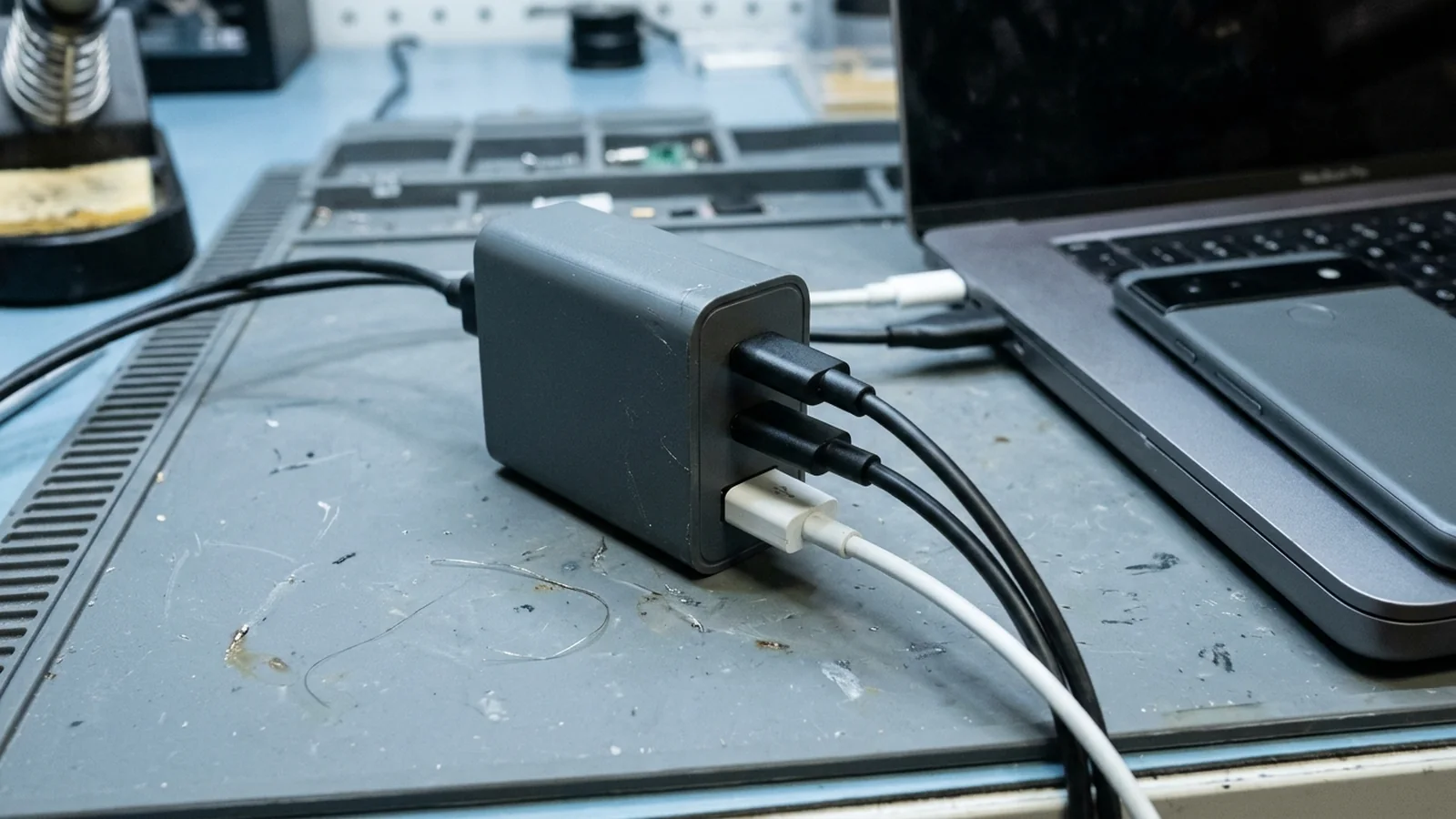
When all three ports (USB-C1, USB-C2, and USB-A) are occupied at once, total output caps at 93W Max on A2145 (45W + 30W + 18W), 89W Max on A2688, and 120W Max on A2148.
Handshake Resets, Idle Cable Loads, and Device Protocol Exceptions#
Multi-port power redistribution and proprietary device protocols create six documented field exceptions to screen before approving a bundle. In Anker's GaNPrime architecture (A2148), PowerIQ 4.0 monitors connected devices every 1 second, adjusts power demand every 3 minutes, and dynamically releases excess power to other connected devices, while ActiveShield 2.0 (on A2148 and A2688) measures temperature 35 times per second (more than 1 million times across an 8-hour night and over 3 million times per day); A2343 support specifications list Power IQ 4.0, PPS without publishing sampling cadence numbers. Port state transitions and protocol limits introduce six operational rules:
| Field Symptom or Device Setup | Documented Engineering Cause (Anker Support / Product Specs) | Wholesale Bundle & Deployment Action |
|---|---|---|
| M2 MacBook disconnects intermittently on multi-port charger | Anker Support notes that charging an M2 MacBook with Apple’s USB-C to MagSafe cable on multi-port chargers (such as 735 Nano II) causes intermittent disconnections when the M2 MagSafe port receives a power adjustment | Specify a 5A E-Marker USB-C to USB-C cable instead of MagSafe on multi-port chargers, or use single-port A2672 |
| MacBook battery icon shows a plug symbol for ~1 minute | On A2148, MacBook charging identification displays a plug symbol when first connected to a third-party wall charger and reverts to normal after around one minute; A2688 documents the same ~1-minute plug-symbol behavior | Include this 1-minute handshake note on IT deployment cards to prevent false fault reports |
| Primary laptop steps down with only one device attached | On A2688, an unplugged USB-C to Lightning cable still draws power from the charger and holds it in multi-port split mode | Unplug unused USB-C to Lightning cables from secondary ports when 100W single-port output is needed |
| Apple Watch does not charge on the USB-A port | On A2148, connect the Apple Watch first during multi-device charging and unplug/reconnect the USB-A watch charger if left idle; A2688 documents the same Apple Watch priority and USB-A reconnect rule | Document the USB-A sequence for bundles pairing an Apple Watch charger with A2148 or A2688 |
| Dell XPS 15 (9500/9510), Alienware X14, or Precision 5570 below full speed | On A2148, Dell’s proprietary charging protocol prevents full-speed charging on XPS 15 (9500/9510), Alienware X14, and Precision 5570; on A2688, Apple’s 5.9-ft Thunderbolt cable is incompatible with select Samsung, Dell, and Lenovo laptops | Screen corporate laptop fleets by Dell model number and avoid pairing Apple’s 5.9-ft Thunderbolt cable with Dell, Lenovo, or Samsung laptops |
| Samsung 45W SFC 2.0 drops out or OnePlus/Honor phones miss 100W | Samsung 45W SFC 2.0 requires 9V/5A PPS and a 5A (100W) cable—supported on GaNPrime, 717 140W, and 736 Nano II (A2145) in single-port mode, but may drop out in multi-port mode. On A2672, proprietary OnePlus and Honor protocols are not supported at 100W | Run Samsung 45W SFC 2.0 in single-port mode and exclude OnePlus/Honor 100W proprietary claims |
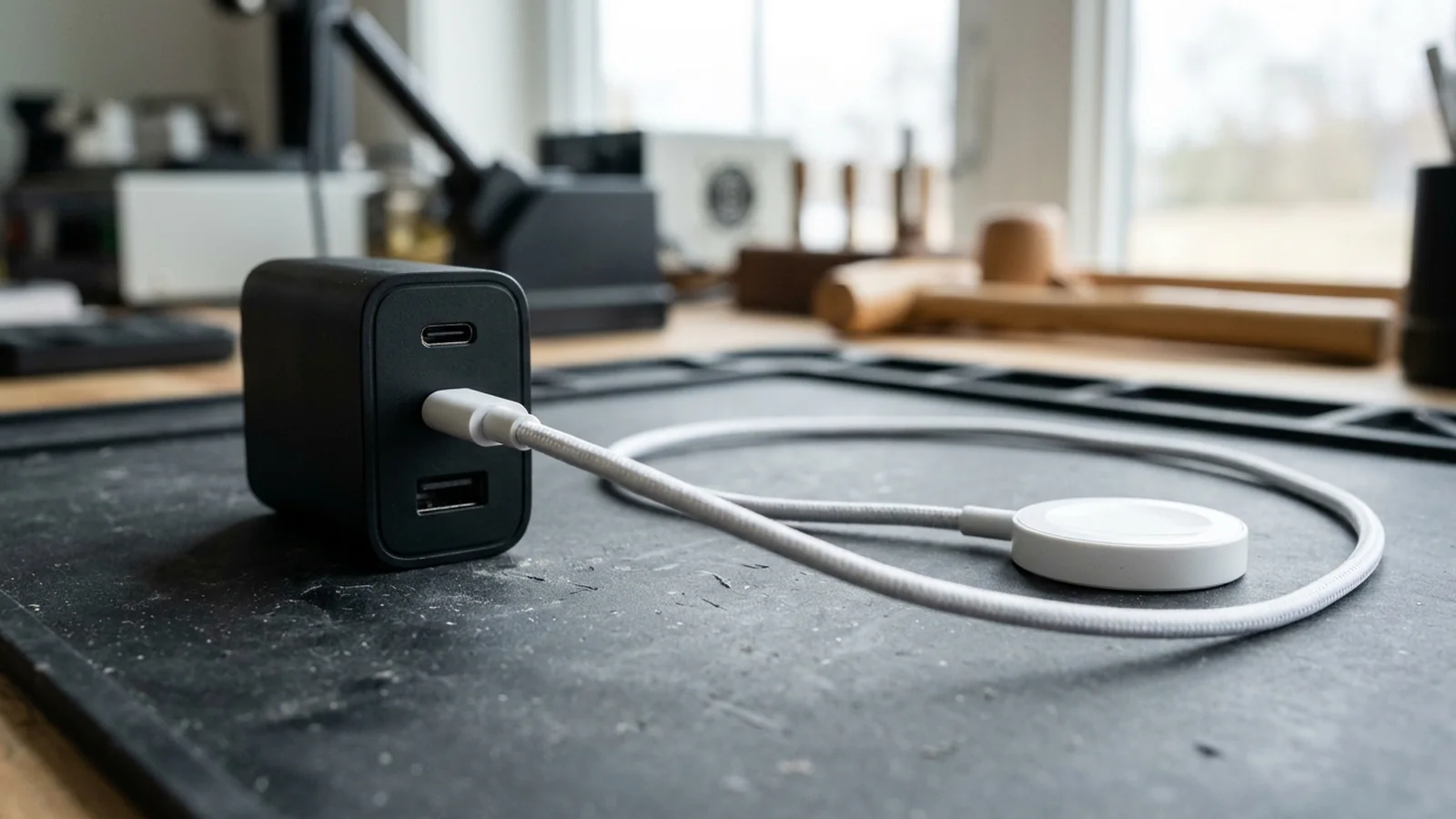
Screen smartwatch charging cables in multi-device bundles: on A2148, connect the Apple Watch first when charging multiple devices and unplug/reconnect an idle USB-A watch charger before charging; A2688 applies the same Apple Watch sequence and USB-A reconnect rule.
When a retail or enterprise bundle includes Samsung Galaxy handsets requiring 45W Super Fast Charging 2.0 (9V/5A PPS), use our Anker charger for Samsung PPS and cable verification guide to match phone model codes, PPS current windows, and 5A cable requirements.
Wholesale RFQ Worksheet: Per-Port PDO List & Multi-Port Allocation Table#
Lock the exact Anker model code, single-port PDO rails, simultaneous port split, regional plug version, and separate cable SKU lines in writing before confirming a wholesale order. Under our published RFQ pricing and mixed-device MOQ terms, wall chargers and desktop hubs combine with power banks toward a 10-unit mixed-device starting point with no per-SKU device minimum, and our team replies within 24 hours for mainland China or Hong Kong handoff.
Copy and complete this Per-Port PDO & Multi-Port Shared Power Allocation Worksheet when preparing an internal specification review or submitting a quote request:
| Verification Field | Buyer Requirement / Target Setup | Documented Anker Reference Example | Acceptance Rule & Substitution Boundary |
|---|---|---|---|
| 1. Primary single-port PDO | Device: ___ · V/A: ___ | 20V ⎓ 5A (100W Max) fixed PDO; or 12V=3A fixed PDO (A2343 only) | Reject substitutes missing the required fixed PDO rail |
| 2. Charger SKU & layout | Model: ___ · Ports: ___ | Single-port 1C (A2672) vs 3-port 2C1A (A2145, A2343, A2688, A2148) | Keep wall chargers and desktop hubs separate; no silent swaps |
| 3. USB-C1 + USB-C2 split | C1: ___W · C2: ___W | A2145: 60W + 40W · A2688: 65W + 35W · A2343: 100W Max · A2148: 120W Max | Connect laptops to upper port USB-C1; verify C1 minimum wattage |
| 4. USB-C1 + USB-A split | C1: ___W · A: ___W | A2145: 80W + 18W (98W) · A2688: 65W + 22.5W (87.5W) · A2148: 120W Max | Moving a phone from C2 to USB-A on A2145 raises C1 from 60W to 80W |
| 5. USB-C2 + USB-A (C1 empty) | Allowed? Yes / No | A2148: 24W Max · A2688: 12.0W + 12.0W (24.0W Max) · A2145: 60W + 22.5W (82.5W) | Exclude A2148/A2688 from C2+A-only use above 24W combined |
| 6. All 3 ports (C1 + C2 + A) | C1/C2/A: ___ / ___ / ___W | A2145: 45W+30W+18W (93W) · A2688: 89W · A2343: 100W · A2148: 120W Max | Match three-port ceiling against simultaneous device sum |
| 7. PPS range requirement | PPS: ___V–___V at ___A | A2145 PPS: 3.3–16V==5A (80W single), 3.75A (60W C1), 2.5A (40W C2) | Keep fixed PDO separate from PPS; use single-port for Samsung 9V/5A |
| 8. 5A E-Marker cable SKU | Included or separate: ___ | A2672 includes 5 ft / 1.5 m 5A cable; A2145 and A2688 exclude cables (add A80E6 240W) | Never pair a 3A cable with a 100W port when >60W is needed |
| 9. Regional plug format | Plug: US / UK / EU (DE) | A2148: Foldable (US), Fixed (UK/DE) · A2343: Foldable (US/UK/DE) | State regional plug version per SKU line |
| 10. Quantity & handoff | Units: ___ · CN / HK | 10-unit mixed device order floor; mainland China or Hong Kong handoff | Require written buyer approval before any SKU or plug change |
For broader carton, label, and regional compliance line formatting, pair this worksheet with our Anker charger wholesale checklist or reach our sourcing desk via about and contact details for a written quotation within 24 hours (for example, A80E6 240W cables alongside A2148 EU or A2688 US units).
Questions Buyers Ask About 100W USB-C Chargers#
Does a 100W or 120W multi-port USB-C charger deliver 100W on every USB-C port at the same time?
No. On multi-port Anker chargers such as the A2145 (736 Nano II 100W), A2343 (Prime 100W), A2688 (Prime 100W), and A2148 (737 GaNPrime 120W), 100W Max (20V ⎓ 5A) is the single-port ceiling when only one USB-C port is active. Connecting a second device splits the total power budget, stepping USB-C1 down to 60W (20V == 3A) on A2145 or 65W on A2688.
Why does a 100W USB-C charger stop at 60W when paired with a standard USB-C cable?
Under USB Power Delivery specifications documented by USB-IF and Renesas Electronics, standard USB Type-C cables are rated for 3A maximum current. For sources rated above 60W, the charger checks for an E-Marker chip in the cable before supplying above 3A; without a 5A (100W) or EPR E-Marker cable, current is capped at 3A, limiting output at 20V to 60W (20V × 3A).
Do all 100W Anker USB-C chargers include a 12V fixed PDO voltage rail?
No. Renesas Electronics notes that 5V, 9V, 15V, and 20V are the normative Standard Power Range voltages in USB PD 3.1 and earlier, whereas 12V is optional. In Anker support specifications, A2343 (Anker Prime 100W) lists a 12V=3A rail on USB-C1 and USB-C2, while A2145, A2688, and A2148 publish 5V, 9V, 15V at 3A and 20V at 5A without a 12V fixed PDO.
Why does plugging devices into USB-C2 and USB-A while leaving USB-C1 empty cap output at 24W?
Official Anker support tables specify USB-C2 + USB-A output as 24W Max on the Anker 737 Charger (GaNPrime 120W, A2148) and 12.0W + 12.0W (24.0W Max) on the Anker Prime Charger (100W, A2688). Laptops and high-draw tablets must connect to the top port (USB-C1) whenever multiple ports are used.
Technical References#
- USB Implementers Forum (USB-IF), USB Charger (USB Power Delivery) overview; USB Type-C and USB 2.0 Type-C Cable and Connector Language Usage Guidelines.
- Renesas Electronics, USB Power Delivery: The Technology 1 — Convenience and Safety, normative SPR/EPR voltage and E-Marker cable current rules.
- Anker Support & Product Specifications, Anker 317 Charger (100W Max, A2672) UK specification; Anker 736 Charger (Nano II 100W, A2145) product and support specifications; Anker Prime 100W Charger (A2343) specification; Anker Prime Charger (100W, 3 Ports, GaN, A2688) product and support specifications; Anker 737 Charger (GaNPrime 120W, A2148) specification, PowerIQ 4.0 and ActiveShield 2.0 documentation.
- Anker Support, Why does my M2 Macbook charge intermittently with Anker multi-port chargers? and Why does my Samsung phone not appear "Super fast charging 2.0"?; WattsConnected, Sharing a Multi-Port Charger? USB-C vs. USB-A Changes Your Mac's Charging Speed.